Watch Hermes Agent and help with logins or CAPTCHAs
What it does
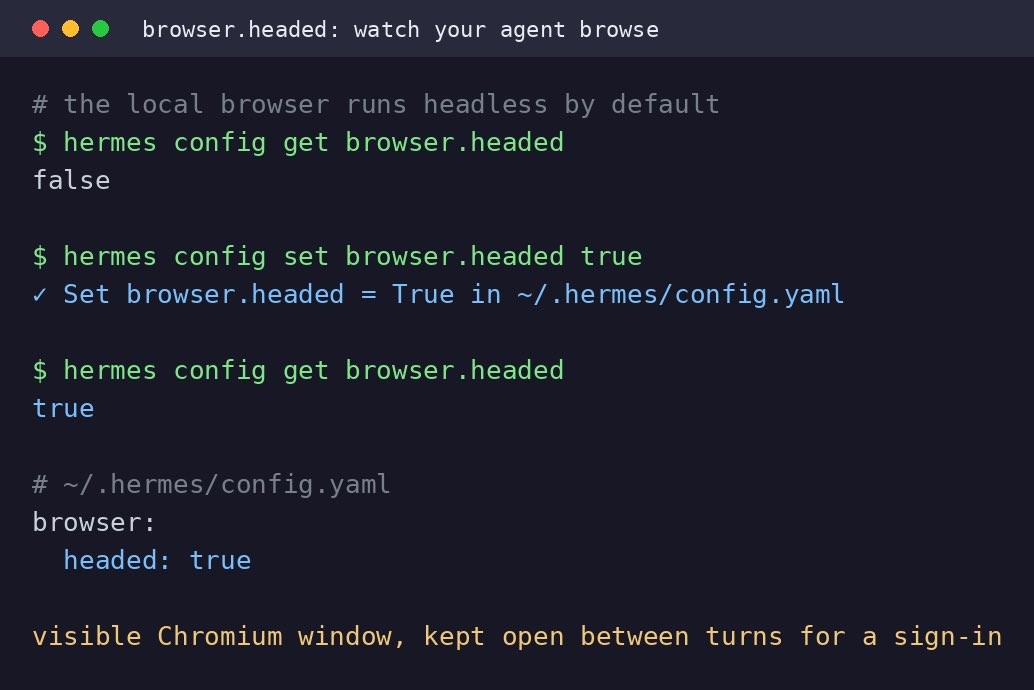
Hermes Agent normally runs its browser hidden in the background. One config command makes the browser visible as a Chromium window on your screen, showing every page and click. The window stays open between turns, so you can sign in yourself or clear a CAPTCHA when needed.
This turns a fully automated task into one where you handle the parts that need your human touch.
Why it's worth it
Watching the first run helps you debug and see what the agent is doing. Sites with logins or CAPTCHAs cannot proceed without your help, so a visible browser lets you sign in or clear CAPTCHAs yourself, and your login stays warm across the conversation.
Step by step
Paste it into Hermes Agent and swap the highlighted parts for your own details.
Before you start Run hermes config set browser.headed true in your terminal to enable the visible browser.
Get Hermes Agent to:
- Continue with [the specific task I wanted] now that I've signed in.
- Report back if you completed the task or need to try a different approach.
Expected resultA visible Chromium browser window showing each page and click where you can sign in or clear CAPTCHAs yourself when prompted.