Hermes HQ Subscribe
Setup

Agent stuck on your desktop: text it from your phone, set up by QR code
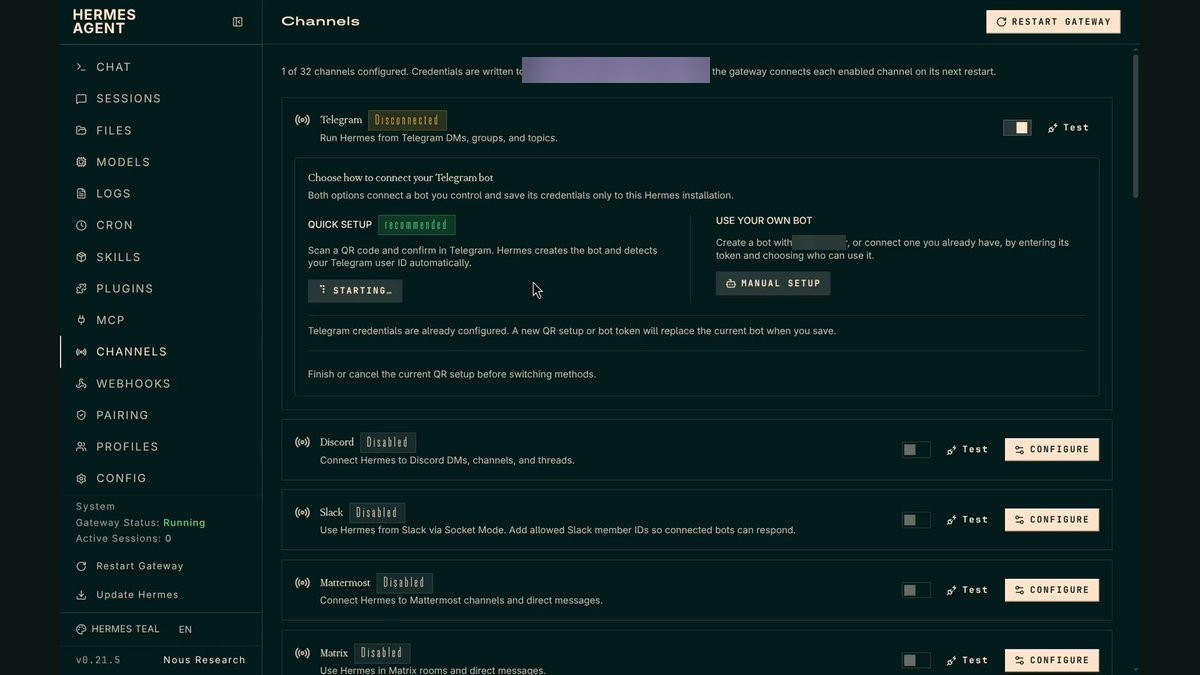
Screenshot: Agent stuck on your desktop: text it from your phone, set up by QR code

What it does

The dashboard creates the Telegram bot for you and adds your account to the allow list. Scan, tap Connect, and your agent is in your pocket.

Why it is worth it

Your agent comes with you on your phone, and only you can talk to it.
Related use cases

See all
SetupOct 8

API bills for a private agent: it runs free on a 16GB Mac Mini

Gemma 4 12B through LM Studio, Honcho for memory, Telegram for remote access, and one Mac setting so it never sleeps. Daily AI news lands in Telegram.

View use case
SetupOct 11

A backup you have never tested: prove it restores without touching live files

A read-only check rebuilds your newest backup in a temp folder and reports names and counts. Your live setup and keys are never opened.

View use case
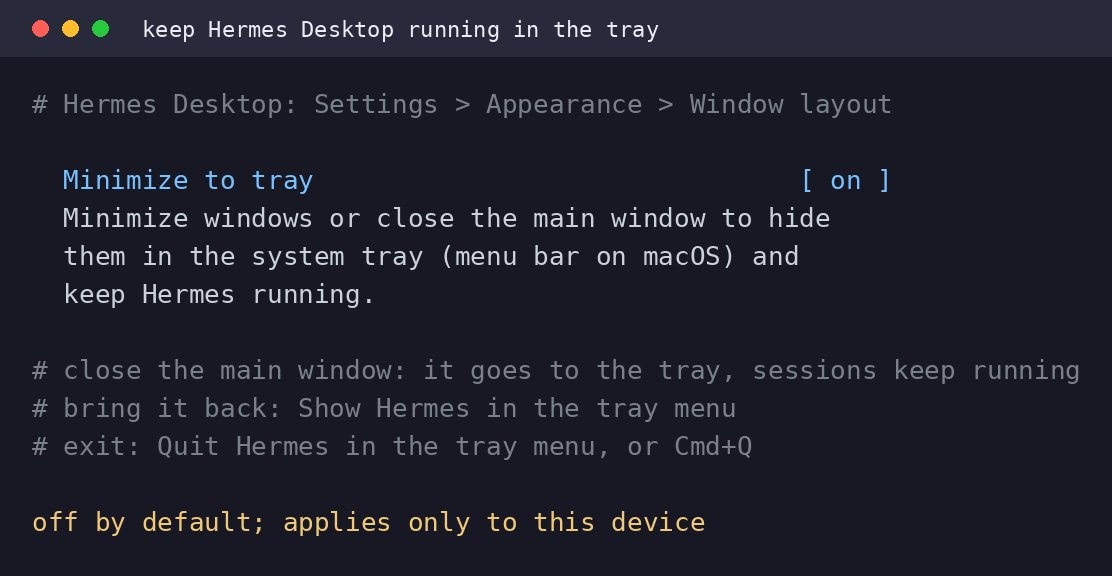
Screenshot: Keep agent running: minimize Hermes Desktop to the system tray
SetupOct 14

Keep agent running: minimize Hermes Desktop to the system tray

A Hermes Desktop setting called Minimize to tray hides the app in the system tray when you close the main window, while your sessions continue running. Toggle it in Settings > Appearance > Window layout.

View use case