Hermes HQ Subscribe
Automation

Recheck a build log every few minutes with /loop
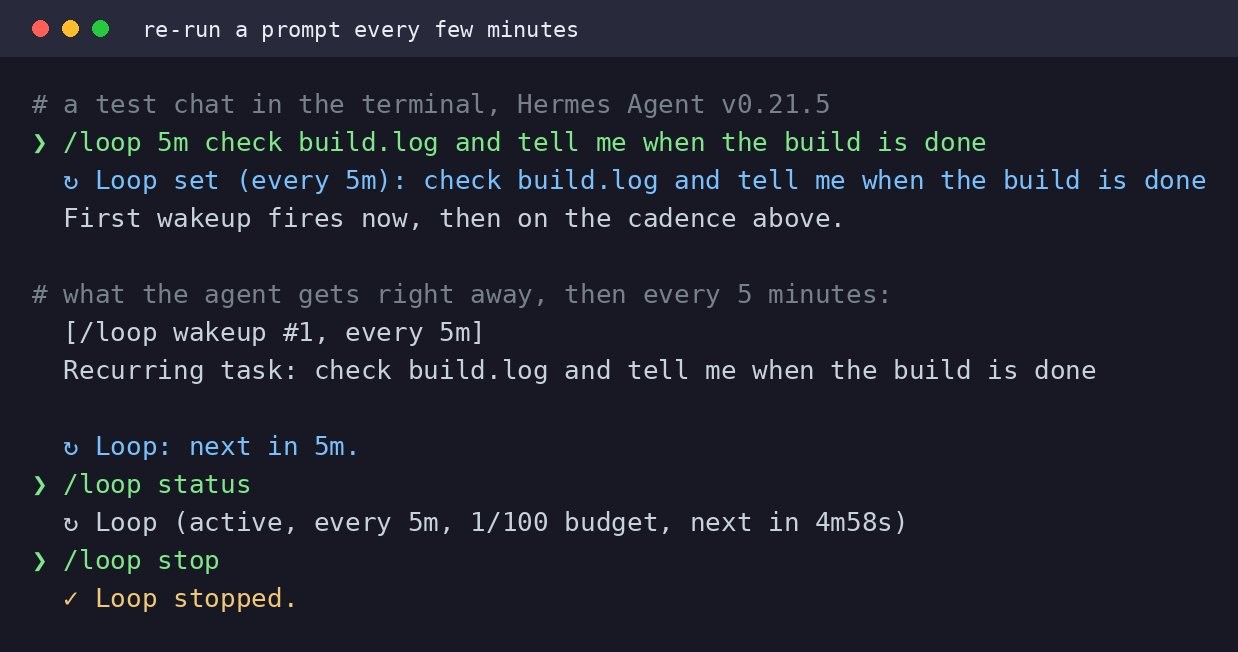
Screenshot: Recheck a build log every few minutes with /loop

What it does

Use /loop to set Hermes Agent checking a file or process repeatedly at your chosen interval. It reruns the same prompt inside your current chat without you asking again. Stop it anytime by closing the chat or typing a new command.

Why it is worth it

Eliminates manual rechecking while you work on other things. Perfect for monitoring builds, deploys, or long-running processes that you need to know are complete.

Related use cases

See all
Screenshot: Smart-home taps buried in apps: a desk gadget that starts the coffee
AutomationOct 9

Smart-home taps buried in apps: a desk gadget that starts the coffee

An M5Stack ESP32 running the Hermes Gadget kit talks to Google Home. Agents hot-swap, so the same screen can run any profile you build.

View use case
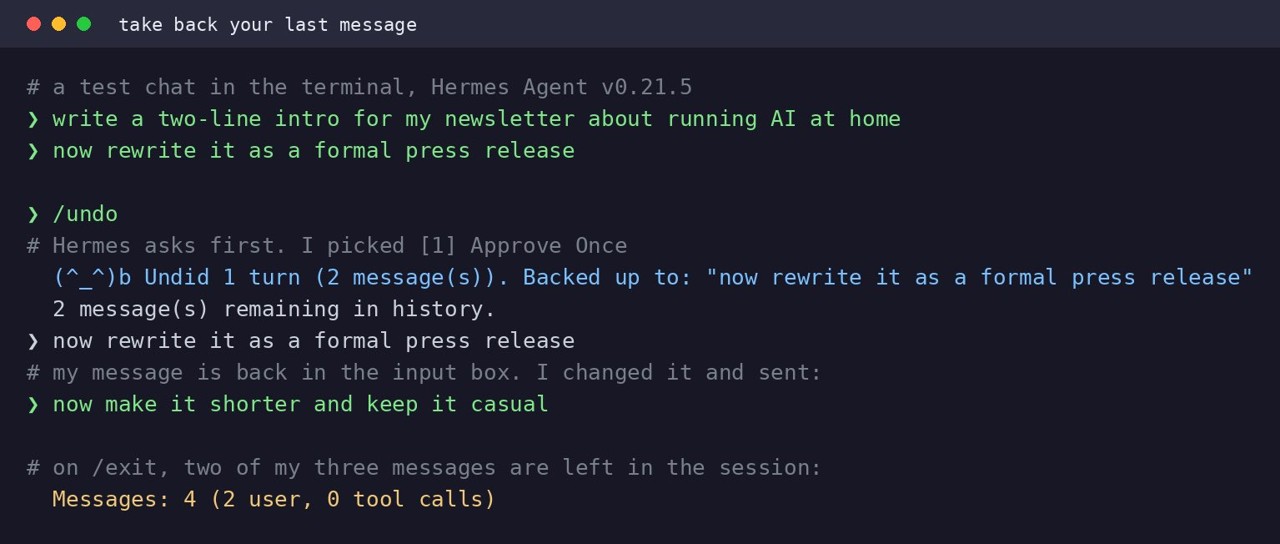
Screenshot: Iterate faster: ask first, undo messages, set your timezone
AutomationOct 9

Iterate faster: ask first, undo messages, set your timezone

Add 'ask me a few questions first' to check details before work starts. Type /undo to remove your last message and reply, then ask again. Set your timezone with 'hermes config set timezone [Zone]' so cron jobs run on your local clock.

View use case
SkillsOct 9

Finding task ideas: ten personalized suggestions from your tools

Hermes Agent reviews your available tools, skills and memory to suggest ten tasks you can ask it to do this week. It shows one read-only example, then drafts a file with all ten suggestions. Nothing is written until you say yes.

View use case