Keep a Word report's figures in step with its spreadsheet
What it does
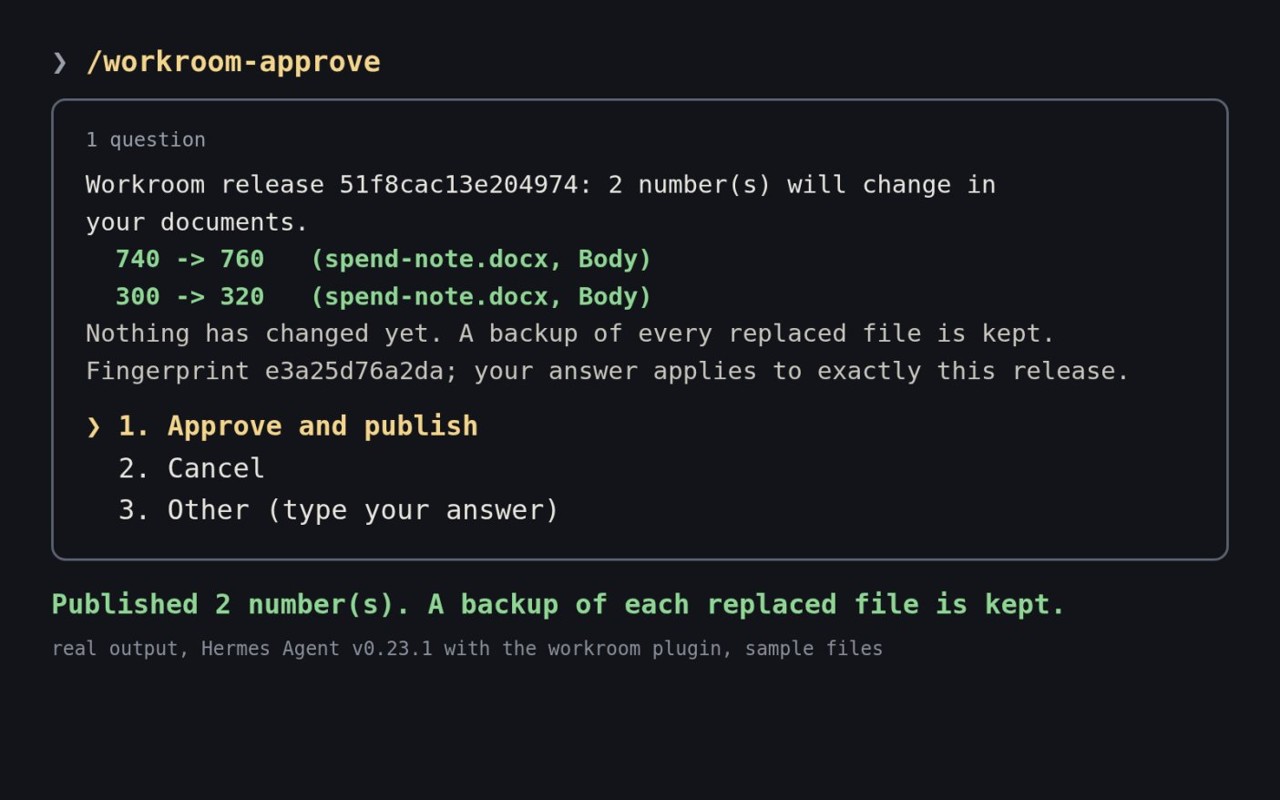
workroom, a community plugin for Hermes Agent, ties each figure in a Word report to the spreadsheet cell it came from. When a cell changes, Hermes Agent prepares the update and tells you what will change, and it points at a sentence to re-read, such as one calling a figure 'the largest'.
The report file changes only after you approve, and the plugin edits only folders you register and makes no network calls.
Why it's worth it
Each figure stays linked to the cell it came from, so when that cell changes the agent prepares the update and tells you what will change.
Step by step
Paste it into Hermes Agent and swap the highlighted parts for your own details.
Before you start A Word report and its source spreadsheet in folders you can register.
Get Hermes Agent to:
- Only edit files in [report folder] and [spreadsheet folder], the folders I registered.
- Link each figure in my [report file] to the spreadsheet cell it came from, and list each link for me.
- When any linked cell in [spreadsheet file] changes, prepare the new figure for every quote that uses it and show me old against new.
- Flag any sentence that no longer fits, such as calling a figure 'the largest' after it has changed, and quote it back to me.
- Show me what will change in my report and wait for my approval before writing anything.
- Apply only the changes I approve to my report.
- Report back with how many figures I approved and which sentences to re-read.
Expected resultThe two changed cells come with prepared figure updates and a sentence flagged to re-read, and the report changes only after your approval.