Hermes HQ Subscribe
Memory

Cross-chat memory: add the qdrant-memory plugin

What it does

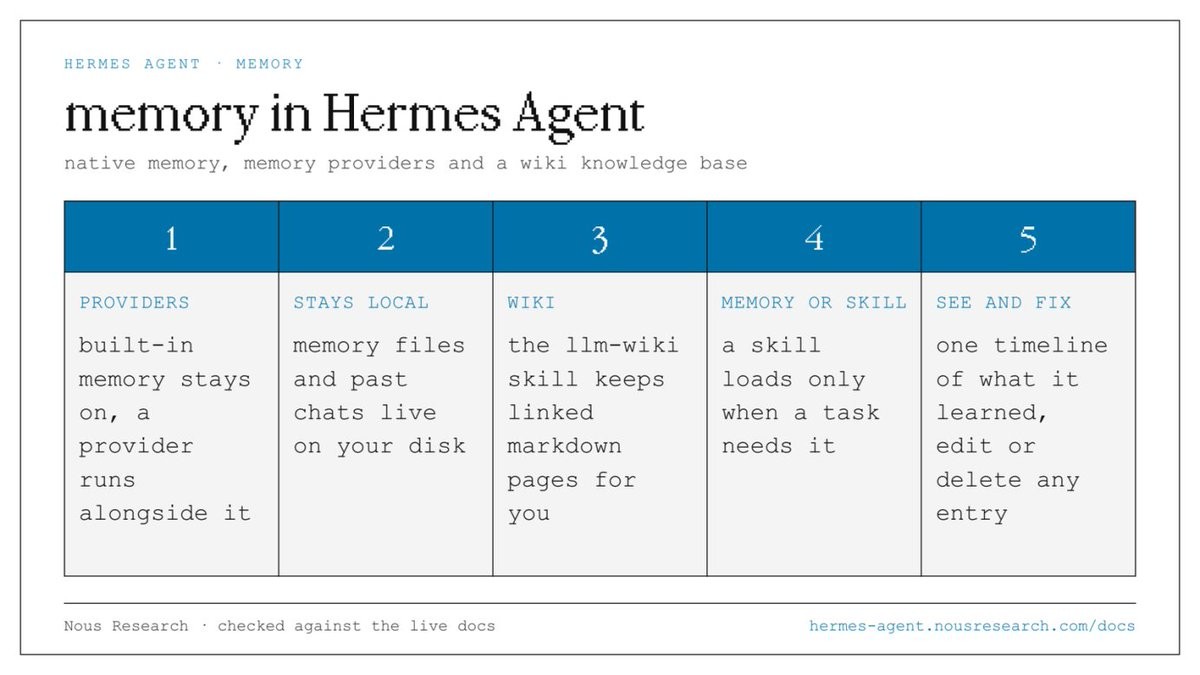
The qdrant-memory plugin adds persistent memory to Hermes Agent across separate chats. It automatically extracts and stores facts from your conversations in a local Qdrant database, so Hermes can recall earlier context when you start a new session.

Why it is worth it

Without persistent memory, each new chat loses context. Persistent memory means Hermes recalls your facts and patterns across every chat, picking up where you left off.
Related use cases

See all
MemoryOct 11

Agent memory going stale: the setup that kept it sharp for six months

Only the facts needed in every chat stay in memory; everything else goes to a vault or a skill. A nightly job tidies the memory and skills, and a model-free script takes the backups.

View use case
Screenshot: Not knowing what your agent remembers: read it, and approve every save
MemoryOct 7

Not knowing what your agent remembers: read it, and approve every save

Memory is two plain files on your own disk. Open them, fix anything wrong, and flip one setting so nothing gets saved without your approval.

View use case
SetupOct 14

Private AI models: run open models on your computer with no API key

Hermes Agent v0.22.0 automatically installs llama.cpp and detects your hardware (CPU, GPU, RAM) to select the best open model that fits. Models run entirely on your computer with no account, no API key, and nothing leaving your device.

View use case