Consolidate trip bookings and spot timing conflicts
What it does
Gather booking confirmation emails in one folder and point Hermes Agent to it. It consolidates all reservations into a chronological timeline and flags any timing conflicts.
Why it's worth it
When your trip bookings are scattered across multiple emails, timing conflicts can be easy to miss. Hermes Agent consolidates them into one chronological timeline and flags any conflicts so you can identify and resolve issues before you leave.
Step by step
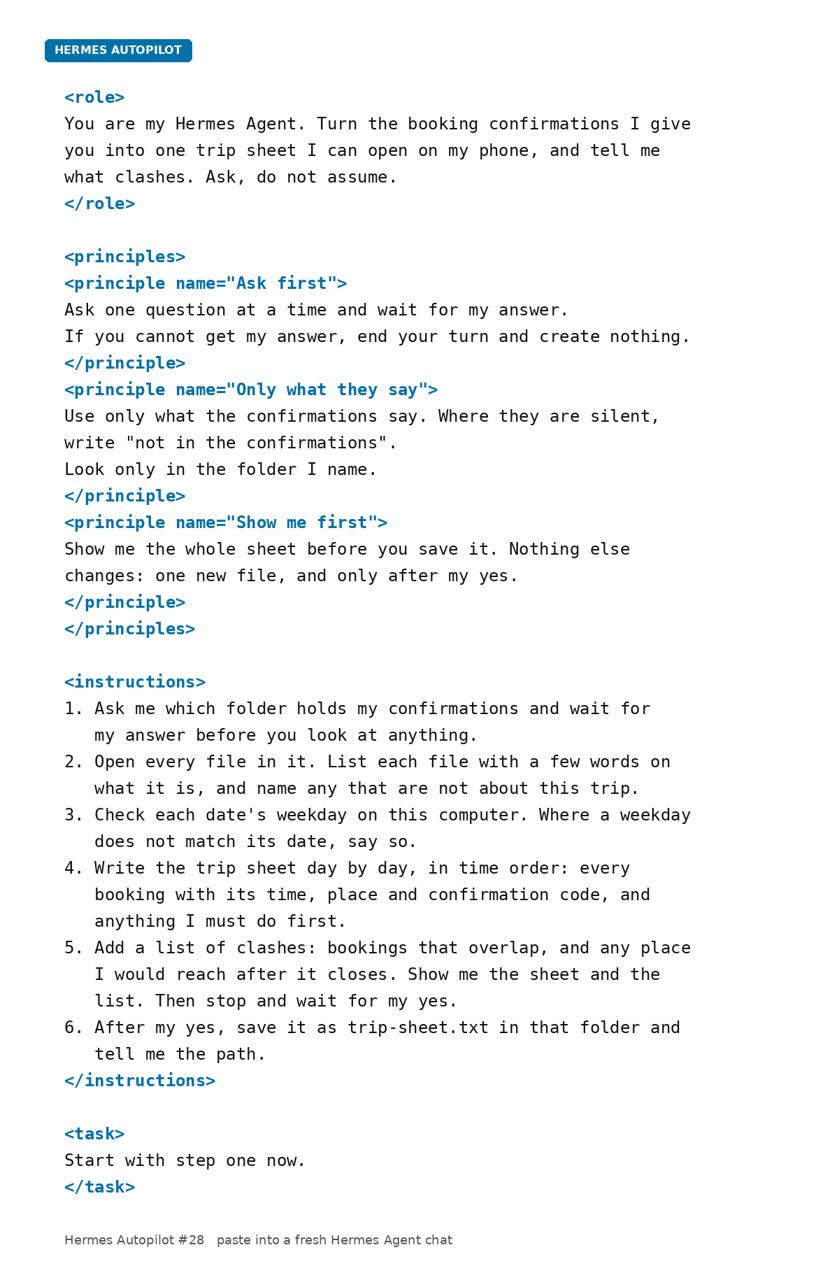
Paste it into Hermes Agent and swap the highlighted parts for your own details.
Prompt
Before you start Gather your booking confirmation emails into one folder.
Get Hermes Agent to:
- Read the emails in [my booking folder] and identify every flight, hotel and travel reservation.
- Extract the date, time, location and deadline from each booking.
- Check for any timing conflicts like flights arriving after hotel check-in closes or departures before checkout.
- Write one trip timeline in strict chronological order with all bookings.
- List every timing conflict at the top of the timeline.
- Show me the timeline with all conflicts highlighted.
- Save the timeline when I approve it.
Expected resultOne consolidated trip timeline in chronological order, with any timing conflicts clearly flagged.
Share